
Best PDF Data Extraction Tools in 2026: 8 Tools Compared
PDFs are everywhere in business workflows. The challenge is rarely storing them — it is getting the information inside them into a usable format without relying on manual data entry for every document.
This guide compares eight PDF data extraction tools in 2026 based on what they are designed to do, their typical setup requirements and where each one fits best.
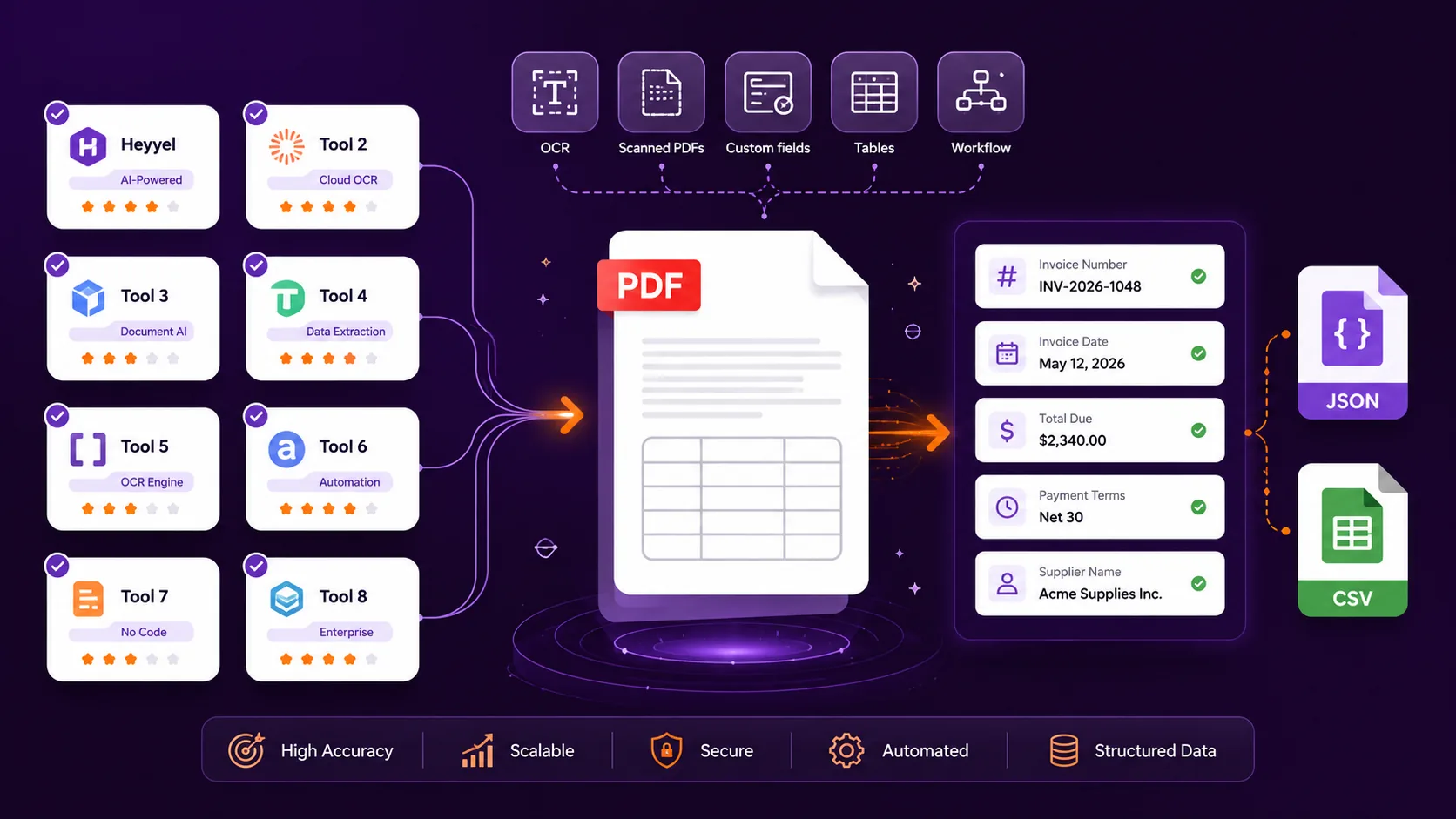
Best PDF data extraction tools at a glance
| Tool | Best for | Custom fields | Scanned PDFs | Main outputs | Typical setup |
|---|---|---|---|---|---|
| Heyyel Data Extractor | Extracting selected fields without building parsing logic | Yes | Yes | JSON, CSV | Low |
| Parseur | No-code extraction connected to workflows | Yes | Yes | JSON, CSV, Excel | Low |
| Nanonets | Intelligent document processing and review workflows | Yes | Yes | JSON, structured data | Medium |
| Docparser | Rule-based extraction from recurring document formats | Yes | Yes | JSON, CSV, Excel, XML | Medium |
| Mindee | Developer-focused document extraction | Yes | Yes | JSON | High |
| Google Document AI | Custom document processing inside Google Cloud | Yes | Yes | Structured API output | High |
| Adobe PDF Extract API | Extracting PDF content and document structure | Limited field-level focus | Yes | JSON, Markdown, CSV/XLSX tables | High |
| Extracta.ai | Straightforward custom field extraction | Yes | Yes | Structured data | Low |
Technical setup is a practical indication of the configuration or integration typically required, not a vendor performance score.
What should you look for in PDF data extraction software?
Before comparing tools, start with the result you actually need.
Invoice number: INV-45821
Invoice date: 12 August 2026
Subtotal: $8,250
Tax: $1,567.50
Total due: $9,817.50
Payment terms: 30 days
A structured data extraction tool can instead return:
{
  "invoice_number": "INV-45821",
  "invoice_date": "2026-08-12",
  "total_due": 9817.50,
  "payment_terms": "30 days"
}
If someone still needs to search the extracted text to find the invoice number, total or payment terms, the PDF has been read automatically — but the business information has not necessarily been structured.
- Can you define the specific custom fields you need?
- Are scanned and image-based PDFs supported, and how do OCR and PDF data extraction work together?
- How does the tool handle different layouts?
- Can tables and repeating information be extracted?
- Do you need JSON, CSV, Excel or another output?
- Does the workflow require review or validation?
- How much technical configuration is required?
1. Heyyel Data Extractor
Heyyel Data Extractor is designed around a simple idea: define the information you want before extracting it.
supplier_name → Text
registration_number → Text
contract_start_date → Date
annual_value → Number
approved → Boolean
For common documents, you can start with suggested fields for invoices, receipts, contracts, IDs and bank statements. For business-specific documents, Custom / Blank lets you create your own extraction structure.
Heyyel Data Extractor also provides Raw data when broader document content is required. Structured results can be exported as JSON or CSV.
Trade-off: a broader IDP or cloud platform may provide more infrastructure around approval workflows, model training or orchestration. To see how the extraction workflow works from document upload to structured output, you can follow the step-by-step guide.
2. Parseur
Parseur focuses on turning incoming documents into structured data and sending that data into other systems. It is particularly relevant when extraction sits inside a broader operational workflow.
Trade-off: workflow capabilities may be unnecessary if the only requirement is occasional field extraction.
3. Nanonets
Nanonets combines OCR, extraction of fields and tables, structured output and workflow automation. It fits processes where extraction is only one stage before review, approval or downstream automation.
Trade-off: a full IDP platform may be more complex than necessary for lightweight extraction.
4. Docparser
Docparser gives users detailed control through parsing rules, including positions, variable text, tables, repeating line items and OCR.
Trade-off: rules can require more maintenance when document layouts vary significantly.
5. Mindee
Mindee is strongly API-oriented and supports prebuilt models, custom schemas and structured JSON output. It is relevant when extraction needs to become part of an application or existing software architecture.
Trade-off: the API-first positioning may involve more technical setup than business-user web tools.
6. Google Document AI
Google Document AI supports configurable processors and custom extraction workflows inside Google Cloud.
Trade-off: its broader infrastructure may be more than users need for simple field extraction.
7. Adobe PDF Extract API
Adobe PDF Extract API focuses on paragraphs, headings, lists, tables, figures, reading order and layout. That makes it useful for search, knowledge and LLM-oriented document ingestion.
Trade-off: extracting PDF structure is not the same as directly asking for business fields such as supplier_name or renewal_date.
8. Extracta.ai
Extracta.ai uses a Define → Upload → Extract approach and supports structured field definitions for digital and scanned documents.
Trade-off: broader review workflows or deep cloud infrastructure may require additional tools around the extraction layer.
How do these PDF data extraction tools differ?
Field-based extraction
Heyyel Data Extractor and Extracta.ai start with the structure you want to receive.
Workflow & IDP
Parseur and Nanonets emphasize document intake, review and automation around extraction.
Rule-based parsing
Docparser gives users direct control through positions, patterns and table logic.
Developer & cloud platforms
Mindee and Google Document AI fit technical teams integrating AI document data extraction into larger systems.
PDF structure extraction
Adobe PDF Extract API focuses on representing document content and structure.
How to test PDF data extraction tools on your own documents
Create a representative document set
Include digital PDFs, scanned PDFs, different layouts, multi-page files, tables and missing information.
Define the expected fields before testing
Decide exactly what success means before you extract specific data from PDF documents.
Test the same documents with each tool
Use the same files and the same target fields wherever possible.
Evaluate fields individually
Compare expected and extracted values field by field, not just whether the output looks good.
Test ambiguous and missing information
Check similar values, missing fields, terminology changes, layout shifts and multi-page tables.
Compare setup effort
Measure configuration time, maintenance, ease of use and whether the output is already usable by the next system.
Which PDF data extraction tool should you choose?
| If you need to… | Consider |
|---|---|
| Define specific fields and export structured data | Heyyel Data Extractor, Extracta.ai |
| Connect incoming PDFs and emails to workflows | Parseur |
| Add extraction, review and automation | Nanonets |
| Build detailed parsing rules for recurring documents | Docparser |
| Integrate document extraction into an application | Mindee |
| Build configurable processors inside Google Cloud | Google Document AI |
| Extract text, tables, figures and PDF structure | Adobe PDF Extract API |
Start with the output, not the tool
There is no single best PDF data extraction tool for every workflow.
Which one reliably produces the output my workflow needs with an acceptable amount of setup?
Test Heyyel Data Extractor on your own document
Start with one document type and a small set of important fields, then compare the result against the structured output your workflow actually needs.
Try Heyyel Data Extractor →Frequently asked questions
What is the best PDF data extraction software in 2026?
There is no universal best option. The right choice depends on your documents, required fields, outputs and workflow requirements.
Can I extract data from scanned PDFs without coding?
Yes. Several tools provide OCR and web interfaces that can process scanned PDFs without requiring custom extraction code.
What is the difference between OCR and PDF data extraction?
OCR identifies machine-readable text. PDF data extraction goes further by identifying which information corresponds to useful fields.
Can I extract only specific fields from a PDF?
Yes. Field-based extraction tools let you define specific fields from a PDF instead of returning the complete document text.
Can PDF data be extracted to JSON?
Yes. Depending on the tool, JSON may represent selected business fields or the complete structural representation of the PDF.
Can PDF data be extracted to CSV?
Yes. CSV is useful when selected PDF information needs to become tabular data for spreadsheets or other workflows.
What is the best PDF extraction tool for invoices?
For selected invoice fields, invoice data extraction can fit well when you need structured fields from invoices. For approval, validation and larger financial workflows, an IDP platform may be more appropriate.
How should I compare PDF data extraction tools?
Test the same documents, define expected fields first, compare results field by field and evaluate setup and maintenance effort.